TX2 Material Solutions
Turn your scrap metal into cash
Registered as TX2 Material Solutions Inc.
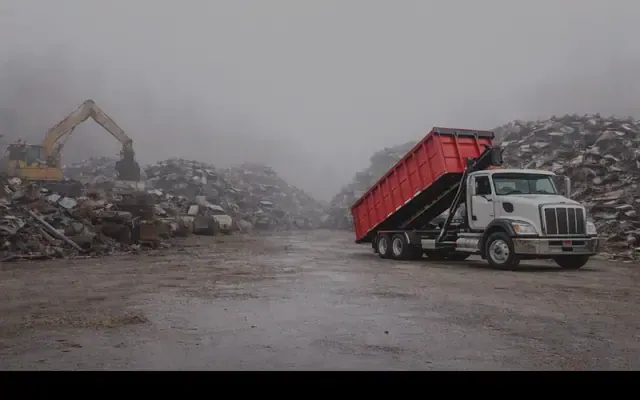
About TX2 Material Solutions
TX2 Material Solutions Inc., operating as TX2 Recycling, is a family-owned metal recycler that buys ferrous and non-ferrous scrap metal, offers scrap dropoff and bin services, and provides demolition and scrap cleanup services. The company also mentions equipment repurposing, mobile weigh-and-pay service, and well site remediation, with locations and service coverage in British Columbia, Alberta, and Ontario.
Hours and details
Hours and details from Google Maps, updated September 30, 2026. Hours can change on holidays. View on Google Maps
Services
- Scrap dropoff
- Bin services
- Demolition and scrap cleanup
- Mobile weigh and pay
- Equipment repurposing
- Well site remediation
Products and specialties
- Ferrous scrap metal
- Non-ferrous scrap metal
- Household metal items
- Rolloff bins (20yd, 30yd, 40yd)
- Lugger bins (10yd, 14yd)
Also listed as: Metal recycling, Scrap metal dealer, Demolition services, Waste management
Upcoming events here
From local event calendars. All events
More waste and recycling services nearby
Allens Scrap & Salvage
Northern BC's largest locally owned and operated metal recyclers
Homespun Refillery
Zero-waste store helping customers refill household products and reduce single-use packaging waste.
Environmental 360 Solutions Central Interior
2001 Industrial Way
Environmental management and waste solutions in Prince George
Waste Management of Canada
Waste, garbage and recycling services in Prince George
Cascades Recovery +, a Division of Cascades Canada
Sustainable recovery and recycling solutions
- 597 4th Ave
Prince George, BC V2L 3H2Downtown neighbourhood - (250) 961-7768(647) 203-7812(403) 415-5097
Own this business?
Claim this free listing to add photos, hours and a better description, or feature it at the top of waste & recycling. Sign in with your business email; there’s no password.
Claim this listingListing from the City of Prince George business licence registry, with details from the business's own website. Spotted a mistake? Suggest a correction.